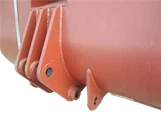
Installing the blade on an electric scraper is a crucial task that requires precision and knowledge. As a trusted electric scraper supplier, we understand the importance of proper blade installation for optimal performance and safety. In this blog post, we will guide you through the step-by-step process of installing the blade on an electric scraper, ensuring that you can carry out this task with confidence.


Understanding the Electric Scraper and Its Blade
Before we dive into the installation process, it's essential to have a basic understanding of the electric scraper and its blade. Electric scrapers are versatile tools used in various industries, including mining, construction, and manufacturing. They are designed to remove unwanted materials, such as dirt, debris, and coatings, from surfaces efficiently.
The blade is the most critical component of the electric scraper, as it directly interacts with the surface being scraped. It comes in different shapes, sizes, and materials, depending on the specific application and the type of material to be removed. Common blade materials include high-speed steel, carbide, and diamond, each offering unique advantages in terms of durability, cutting performance, and resistance to wear.
Tools and Materials Required
To install the blade on an electric scraper, you will need the following tools and materials:
- Replacement Blade: Ensure that you have the correct blade for your electric scraper model. Refer to the manufacturer's specifications or consult our customer support team for assistance.
- Wrench or Socket Set: Depending on the scraper's design, you may need a specific wrench or socket set to remove and install the blade.
- Safety Gear: Wear appropriate safety gear, such as gloves, safety glasses, and hearing protection, to protect yourself from potential hazards during the installation process.
- Cleaning Supplies: Have a clean cloth or brush on hand to remove any dirt, debris, or old lubricant from the scraper and the blade before installation.
Step-by-Step Guide to Installing the Blade
Step 1: Prepare the Electric Scraper
- Power Off: Before starting the installation process, make sure the electric scraper is turned off and unplugged from the power source to prevent any accidental startup.
- Inspect the Scraper: Carefully examine the scraper for any signs of damage or wear. Check the blade holder, mounting bolts, and other components to ensure they are in good condition.
- Clean the Scraper: Use a clean cloth or brush to remove any dirt, debris, or old lubricant from the scraper's blade holder and surrounding areas. This will help ensure a proper fit and prevent any interference during the installation process.
Step 2: Remove the Old Blade
- Locate the Blade Holder: Identify the blade holder on the electric scraper. It is usually located at the front or bottom of the tool, depending on the model.
- Loosen the Mounting Bolts: Use the appropriate wrench or socket set to loosen the mounting bolts that secure the old blade to the blade holder. Be careful not to lose any small parts, such as washers or nuts.
- Remove the Old Blade: Once the mounting bolts are loose, carefully remove the old blade from the blade holder. Take note of the blade's orientation and any markings or indicators that may help you install the new blade correctly.
Step 3: Prepare the New Blade
- Inspect the New Blade: Examine the new blade for any signs of damage or defects. Check the cutting edge, blade body, and mounting holes to ensure they are in good condition.
- Clean the New Blade: Use a clean cloth or brush to remove any dirt, debris, or protective coating from the new blade. This will help ensure a proper fit and prevent any interference during the installation process.
- Apply Lubricant (Optional): Depending on the scraper's design and the manufacturer's recommendations, you may need to apply a small amount of lubricant to the blade's mounting holes or the blade holder. This will help reduce friction and make the installation process easier.
Step 4: Install the New Blade
- Align the New Blade: Carefully align the new blade with the blade holder, ensuring that the mounting holes match up correctly. Pay attention to the blade's orientation and any markings or indicators that may help you install it correctly.
- Insert the Mounting Bolts: Insert the mounting bolts through the blade's mounting holes and into the corresponding holes in the blade holder. Make sure the bolts are tightened securely, but do not over-tighten them, as this may damage the blade or the scraper.
- Tighten the Mounting Bolts: Use the appropriate wrench or socket set to tighten the mounting bolts to the manufacturer's recommended torque specification. This will help ensure a secure fit and prevent the blade from coming loose during operation.
Step 5: Test the Installation
- Power On the Scraper: Once the new blade is installed, plug in the electric scraper and turn it on. Check the blade's operation to ensure that it is rotating smoothly and that there are no signs of vibration or abnormal noise.
- Inspect the Blade Alignment: While the scraper is running, visually inspect the blade's alignment to ensure that it is centered and parallel to the surface being scraped. If necessary, make any adjustments to the blade's position or the scraper's settings.
- Test the Cutting Performance: Use the electric scraper to perform a test scrape on a small area of the surface to be cleaned. Check the blade's cutting performance to ensure that it is removing the unwanted material effectively and that there are no signs of excessive wear or damage.
Tips and Best Practices
- Follow the Manufacturer's Instructions: Always refer to the manufacturer's instructions and specifications when installing the blade on an electric scraper. This will help ensure that you are using the correct blade and that the installation process is carried out correctly.
- Use the Right Tools: Make sure you have the right tools and materials for the job. Using the wrong tools or materials may damage the blade or the scraper and may also pose a safety hazard.
- Inspect the Blade Regularly: Regularly inspect the blade for signs of wear, damage, or dullness. Replace the blade as soon as it shows signs of excessive wear or damage to ensure optimal performance and safety.
- Store the Blade Properly: When not in use, store the blade in a clean, dry place to prevent corrosion and damage. Use a blade protector or a storage case to protect the blade from scratches and other forms of damage.
Conclusion
Installing the blade on an electric scraper is a relatively straightforward process that can be carried out by anyone with basic mechanical skills and the right tools. By following the step-by-step guide and tips outlined in this blog post, you can ensure that the blade is installed correctly and that your electric scraper performs at its best.
As a leading electric scraper supplier, we offer a wide range of high-quality electric scrapers and replacement blades to meet your specific needs. Our products are designed and manufactured to the highest standards of quality and performance, ensuring that you get the best value for your money.
If you have any questions or need further assistance with installing the blade on an electric scraper, or if you are interested in purchasing an electric scraper or replacement blade, please don't hesitate to contact us. Our team of experts is always ready to help you find the right solution for your needs.
References
- Manufacturer's instructions and specifications for the electric scraper
- Industry standards and best practices for blade installation and maintenance